
It’s no secret that I’m a technology junkie. I spent most of my life working in and alongside the IT world and, while I’m not an expert in anything in particular, I have acquired a lot of knowledge through good old-fashioned trial and error. If you saw my home office right now, you’d think I was running my own internet service provider business.
The truth is, I find this stuff fascinating and, while we travelled around the country, I experimented with all sorts of ways to incorporate technology into our lifestyle. That’s what this four-part series is all about. I want to share with you the things I’ve figured out and got working that you may find useful. This month, we look at ways to get connected on the road on the cheap.
PLANNED OBSOLESCENCE
Have you ever heard the phrase ‘planned obsolescence’? It’s a term often used to describe the reason why that brand new mobile phone you purchased two years ago is starting to feel slow, clumsy and seemingly unable to handle the same apps it did when you first bought it. The cynical among us may see it as the way Mr Microsoft and Mr Apple ensure you always have to upgrade to the latest version of mobile phone or laptop computer.
While there may be an element of truth to that, the reality is more likely that customer demands for better technology force IT companies to continuously improve their products, which makes the older models impossible to support for too long. It can be a very expensive game to play.
That’s not the only issue. Living on the road adds a more challenging aspect to owning technology. Your equipment has to be able to stand up to the sort of rough treatment they would never experience in the clean and stable environment of your home. Dirt, dust, packing into tight spaces, heat, cold, bumps and drops. They will all eventually take their toll, no matter how careful you are.
So how are we going to tackle these issues without constantly spending money on upgrades or replacing damaged equipment? Fortunately, the answers are ridiculously simple.
The second-hand laptop that never gets obsolete…
I can hear you all saying, Marty’s lost his mind. How on earth could this be possible? Well, I’m here to tell you that not only is it possible, but if you do a bit of shopping around, you might be able to get a robust laptop computer every bit as useful as a new one for less than $100. And you won’t have to buy any software to use it. It’s all absolutely free.
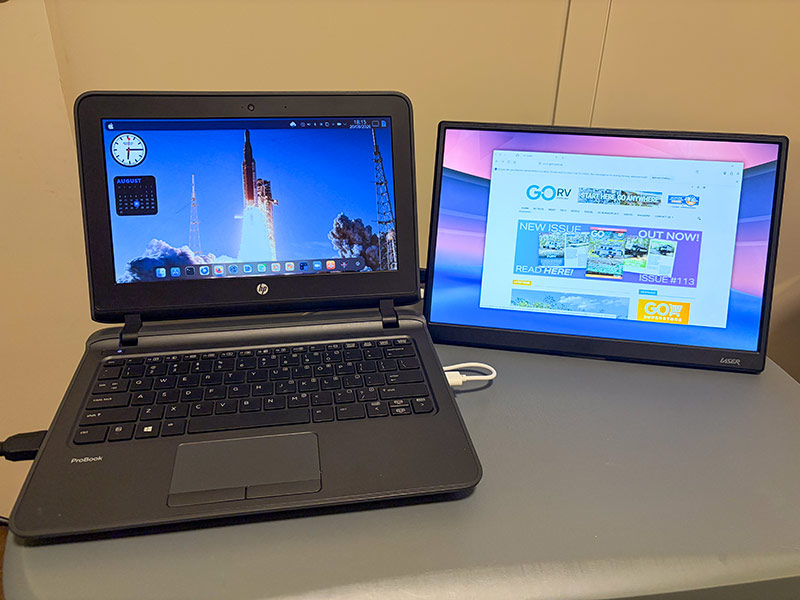
At the heart of this computer is an operating system called Linux. If you’ve been around computers for as long as I have, Linux will sound very familiar. It’s been available in one form or another since 1991. You’ve probably heard that it’s only for real computer geeks, and that may have been the case in years gone by, but today, Linux has developed into a very good, user-friendly, highly configurable operating system that will work on virtually any computer, regardless of age.
What’s more, there are literally hundreds of distributions (or distros) of Linux, each one aimed at catering for a particular type of user. Whether you are used to running Windows or MacOS, you will find a distro that looks and feels just like the system you prefer. The only difference is that the constant updates won’t make your computer slow down over time. Your old computer will keep performing well for many years.
Many of the best-developed versions of Linux come with their own application library where you can find programs to do just about anything. Best of all, almost all of them are completely free. You never have to pay a cent!
An example…
I found a Hewlett Packard ProBook 2 laptop computer for sale online for just $80. This model was originally sold as the ideal laptop for students, so it’s built like a brick. If it can survive the bottom of a kid’s school bag, it can survive the caravan lifestyle.
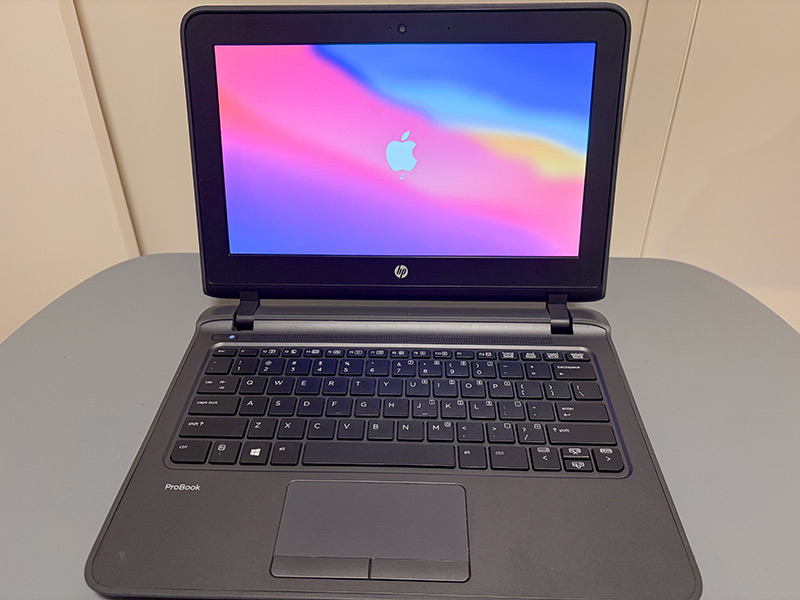
It’s not particularly powerful; the processor is only an Intel Core i3, but it did come with 8GB of memory and a decent 128GB hard drive. The keyboard is as good as any on a modern laptop; the 12in screen is small but very clear, and it has an integrated trackpad and webcam. It has built-in wi-fi, Bluetooth, an SD card reader, three USB ports and an HDMI output, so you can plug it into your caravan’s TV and have an external monitor. Seriously, if you can find one, get it.
It did come with its own Microsoft Windows licence installed but, honestly, it’s as slow as a wet week. This is where Linux comes in. Now, before you shy away, I can assure you that choosing a Linux distribution and installing it on your, a’hem, ‘new’ laptop is very easy, and there are lots of video tutorials on YouTube that explain it step by step.
In essence, you get onto your computer at home, download the ‘iso’ image for the Linux version you want and use a simple utility like Rufus or Etcher to make a bootable USB disk that you then use to install the new operating system on your laptop. Simple.
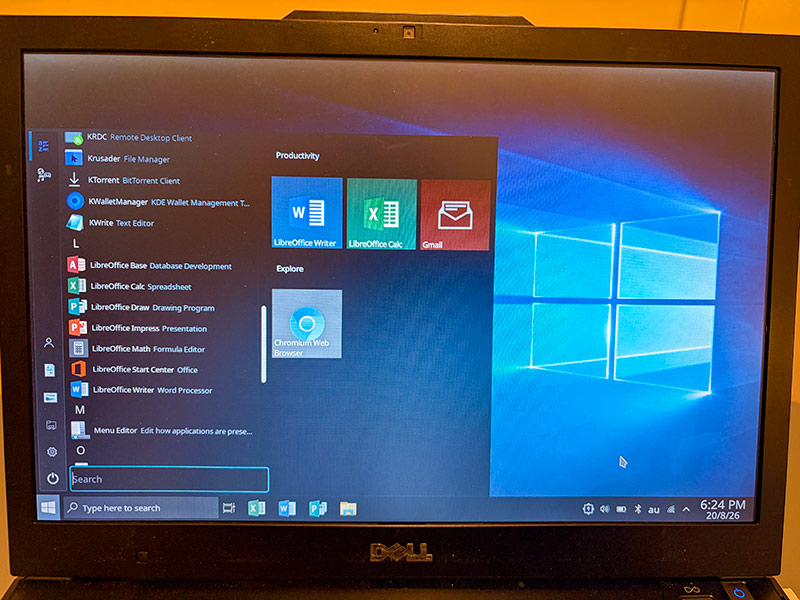
You may not even have to worry about installing any applications, as many flavours of Linux will install a standard suite of software by default. These will have an email client, an internet browser, a file manager, a calculator and an office suite with word processing, spreadsheet and presentation applications that look and feel very much like what you’re used to on your home or office computer.
There are lots of Linux versions to choose from, and it can be a bit of a rabbit hole when you start looking for one, but to make it simple, here are five distros that I recommend:
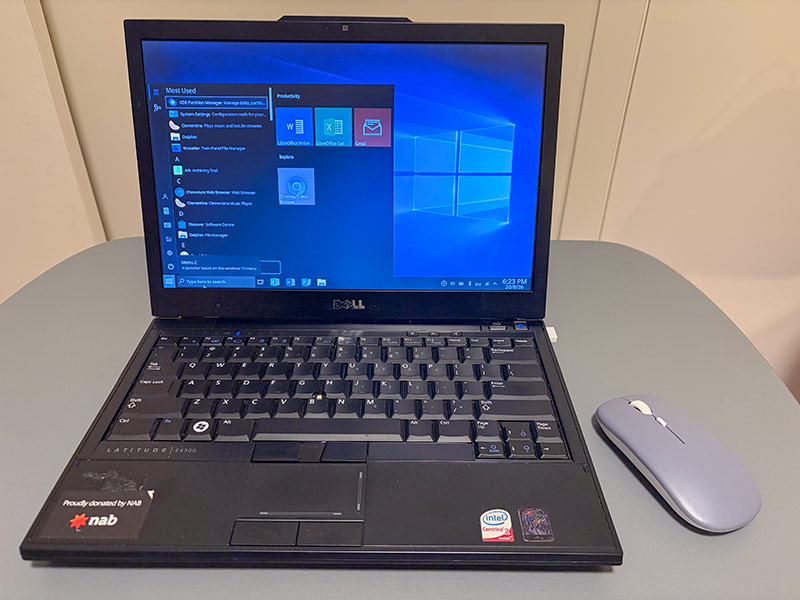
1. Q40S: Looks and feels just like Windows. Highly recommended!
2. Fedora: With a few tweaks, it looks and feels just like MacOS.
3. Puppy Linux: Will run on any computer regardless of age. Easy to use.
4. Linux Mint: A good all-rounder version of Linux with great support.
5. FerenOS Linux: Great for beginners coming from Windows.
Now, if the whole thought of learning a new operating system doesn’t interest you, there is one other system that can live in the glovebox of your car, can use your caravan TV as a monitor, and you may have one sitting in a drawer at home just waiting to be used.
SAMSUNG DeX
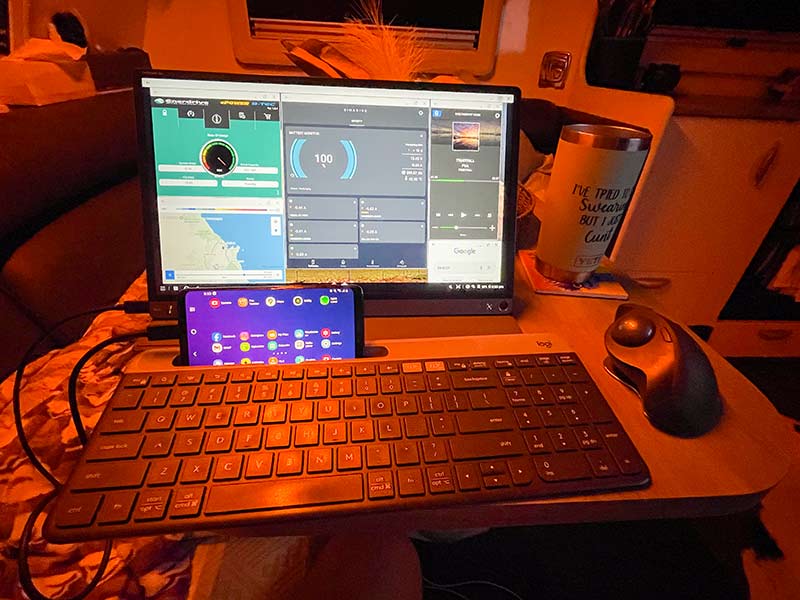
In 2017, Samsung released the Galaxy S8 mobile phone. For the most part, it was just another Android mobile phone, but Samsung introduced a new feature called DeX, which allows you to use your phone as a fully-featured desktop computer.
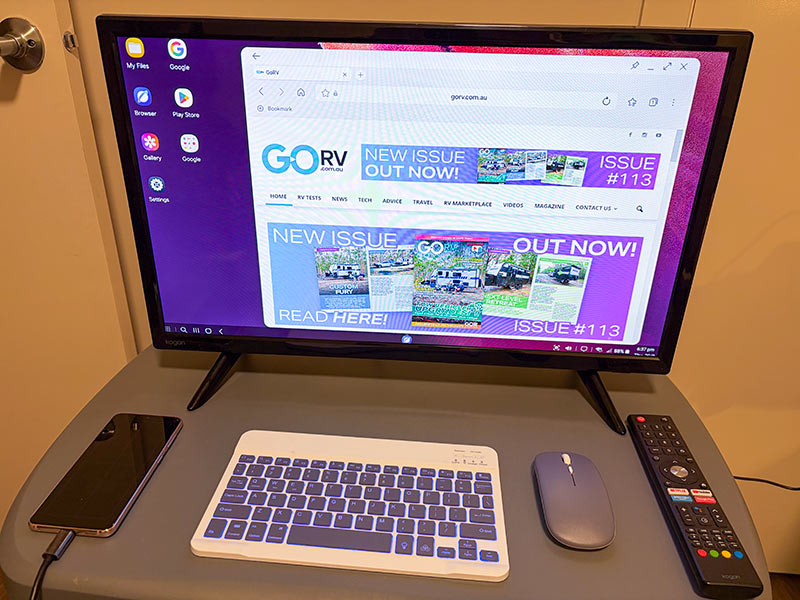
All you need is a USB-C to HDMI cable and a TV with a spare HDMI input. Pretty much any 12V TV that is included with a new caravan these days will work. Even the very cheap and nasty ones. Some more expensive TVs can connect to Samsung DeX wirelessly.
You don’t even need a keyboard and mouse. Once you start DeX, you can turn your phone’s screen into a touchpad and control a mouse pointer just like you would any other system. That said, connecting to an external keyboard and mouse is highly recommended. Fortunately, you can pick up a decent keyboard and mouse for as little as $30.
If you’ve used Windows or MacOS, you will find DeX very easy to use. It is extremely familiar, and almost every function is in a logical location.
Best of all, you have access to all of your Android apps and many of them will function in ‘desktop’ mode. That is, in a full-size window. To access the internet, you will need to insert a mobile phone SIM card, or you can access a public wi-fi network such as the type you find at most caravan parks.
To store any documents you create, you can insert a micro SD memory card, or you could use cloud storage such as Google Drive or Microsoft OneDrive.
If you don’t have an old Samsung phone lying around at home, you can buy a second-hand Galaxy S8 for between $50-$90. You could even check out your local Cash Converters. They could have dozens of suitable phones available, and you could negotiate a reasonable price.
So there you have it. Two alternative ways to bring powerful computing on the road that are both cheap, will stay useful for many years, and if you break or lose them, you haven’t blown a couple of grand. The best part is there is a certain level of satisfaction that comes from reusing an old piece of tech and learning something new along the way.
LINUX LINKS
Q40S Linux: https://www.q4os.org/
Fedora Linux: https://fedoraproject.org/
Puppy Linux: https://puppylinux-woof-ce.github.io/
Linux Mint: https://linuxmint.com/
Feren OS: https://ferenos.weebly.com/
How to make Fedora Linux look just like MacOS: https://www.howtogeek.com/heres-how-i-made-linux-feel-more-like-macos-using-kde-plasma/
PRIME OS
Did you know you can install the Android operating system onto just about any old laptop? Prime OS is a desktop operating system based on Android, allowing users to run Android apps and games on PCs with as little as a dual-core processor, 2GB of memory and just 8GB of storage. Check out https://prime-os.emuapps.com/
MOON MARVEL
Did you know the guidance computer on the Apollo moon missions had just 4KB of memory, around 72KB of program code on a ROM chip and a CPU with a clock speed of just 2.048 MHz? Even a basic car key fob, digital watch, or cheap USB wall charger possesses significantly more computing power than the system that safely guided Neil Armstrong and Buzz Aldrin onto the surface of the moon.