
If you run through the list of things invented by Australians, I’ll bet that a wi-fi wireless network wouldn’t be one that comes to mind. Yet the truth is, back in 1989 (that’s 37 years ago, in case you were wondering), a team of Aussie scientists working at the CSIRO began developing wireless local area network (LAN) technology. Just three years later, a team led by a bloke named John O’Sullivan made a prototype wireless LAN, or WLAN. That work led to the CSIRO lodging a patent for the wi-fi protocol. The wi-fi network you have in your home today is a direct development of the work of those Aussie scientists.
It is difficult to imagine what our lives would be like without wi-fi in our homes or at work but, for some reason, many travellers manage to do without it in their caravans. Perhaps it’s the need to get away from technology and enjoy the great outdoors. Or maybe they don’t realise just how useful a wi-fi network can be in their caravans.
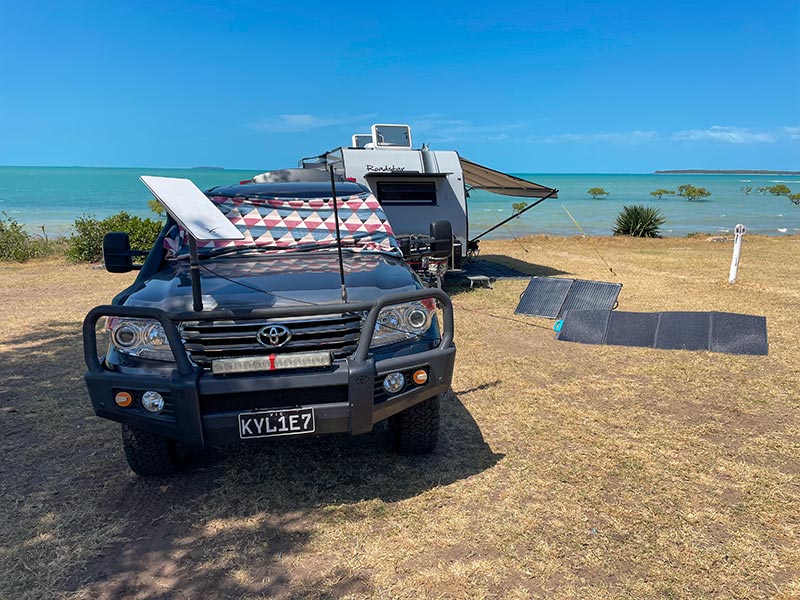
This month, in the second of our four-part series on caravan information technology, we look at the ins and outs of setting up a wi-fi network in your caravan and some of the amazing things you can do with it.
THE BASIC PURPOSE OF WI-FI
If you think about the wi-fi network in your home or at work, it is there to allow all the connected devices to share resources and data. The main shared resource is your internet connection. That bit is obvious. But you may also have a printer that can be shared by anyone on the network. You might also have devices or appliances you can control, such as a robot vacuum cleaner or even a garage door.
In a caravan, you’re not likely to have a robot vacuum cleaner, but you will have other devices that can connect to a wi-fi network and which can be accessed or controlled while you’re connected to the network via a phone or tablet. You’ll likely have an internet connection to share as well. We will look at some of these applications later on.
CHOOSING A WI-FI ROUTER
There are four types of wi-fi routers that are suitable for a caravan. The first is using your mobile phone as a personal ‘hotspot’. This effectively turns your phone into a miniature wi-fi router. It’s great because it provides a very quick and easy way to share your phone’s internet connection with, say, a laptop computer or even a smart TV. It isn’t very practical for connecting multiple devices, and it is far from a permanent solution, but for a simple setup, it will work very well.
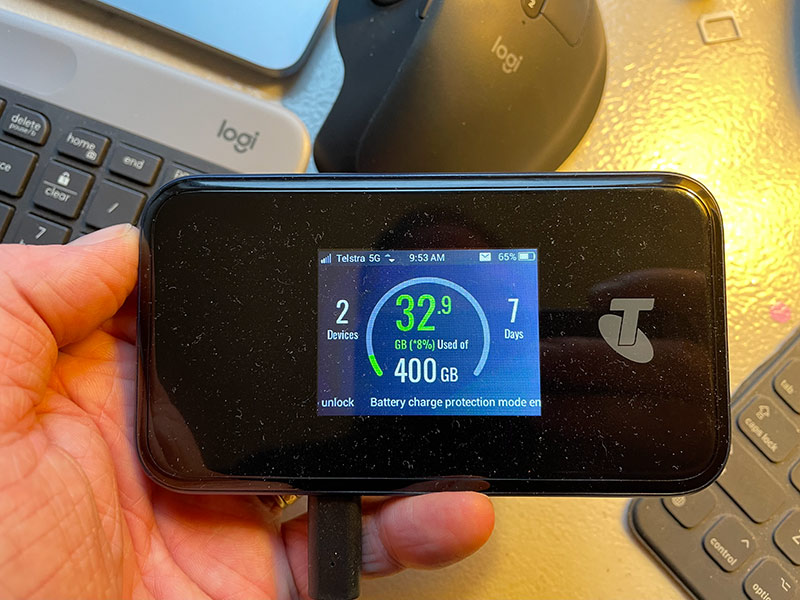
Another option is to purchase a dedicated portable wi-fi router, such as a Netgear Nighthawk or Telstra Hotspot. These are a great option as they are relatively low-cost, provide a permanent network connection that doesn’t require you to activate something on your phone, and they are relatively easy to set-up and use. The main drawbacks are that they are limited in what you can do with them, and their tiny internal antennas mean they don’t have great internet performance in low-signal-strength environments.
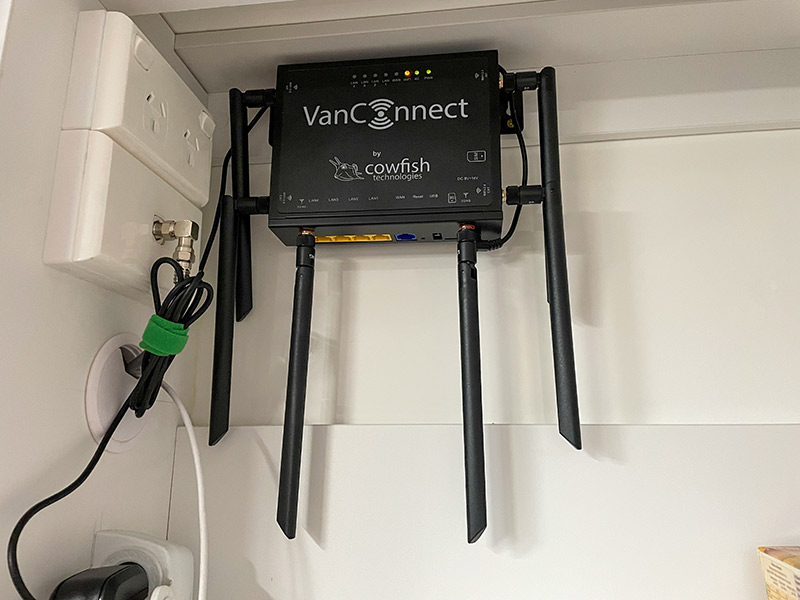
The ultimate option is to install a permanent 12V wi-fi router, such as those available through Cowfish Technologies. These are very similar to the routers you have at home, except they are powered by your caravan’s 12V power system, meaning they can work even when you’re off-grid.
They also have larger antennas or even external roof-mounted antennas that perform very well in low-signal-strength areas. These routers will also have a lot of configuration options, meaning you can set them up to do some very cool stuff. More of that later. These 12V wi-fi routers do need to be installed inside your caravan; however, it is very easy to do if you are slightly handy with 12V wiring.
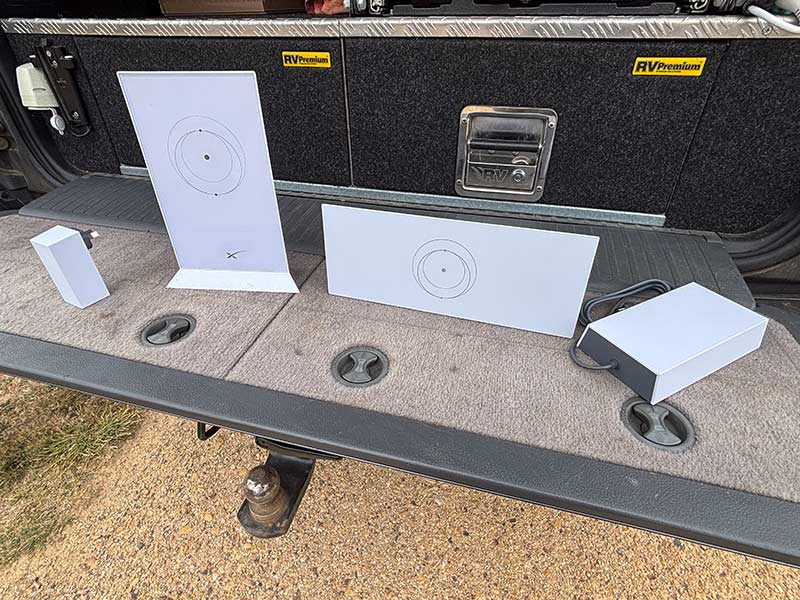
The last option is to use the wi-fi router that is supplied with a Starlink internet connection. These are similar in their limitations to a portable hotspot router in that you can’t do much in the way of tinkering with their settings, but they will do most of the things described later.
USING YOUR WI-FI ROUTER
Sharing your internet connection would be the first obvious thing you can do, as long as your router can connect to the internet in the first place. This will mean inserting a dedicated SIM for one of the mobile telcos. Alternatively, you may want to mirror a local wi-fi network, such as one at a caravan park, especially if the signal is weak and you have trouble connecting with some devices. This also saves you having to log every device into the park wi-fi. Keep in mind that not all wi-fi routers have this ability, particularly the portable hotspot types.
If you have Starlink, you may be thinking about why you would need a separate wi-fi router, given all Starlink kits come with one. Well, in my experience, and through testing we did back in April last year, Starlink’s wi-fi is pretty ordinary, with limited range, except the Starlink Mini. But even that system can have issues, especially if you have to place it a long distance from your caravan. Having a wi-fi router that can connect to Starlink via a wired WAN connection solves all these issues.
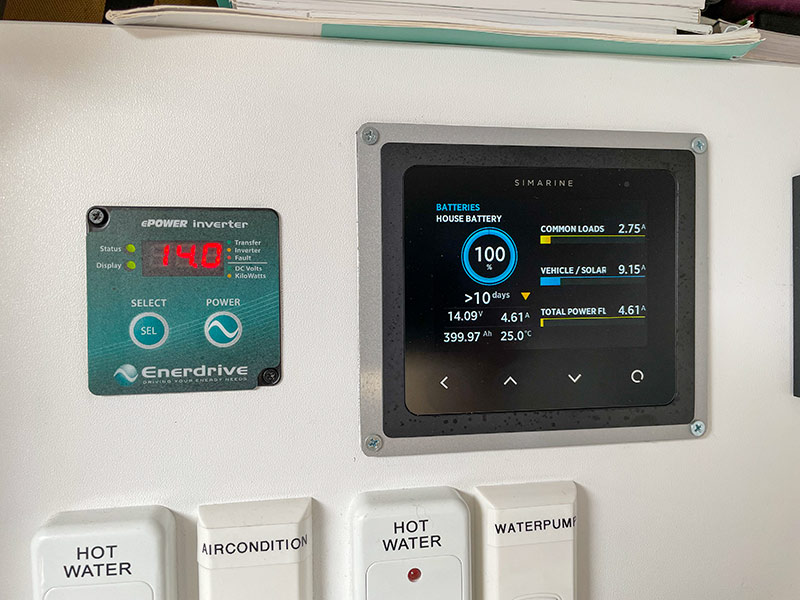
Connecting your caravan’s accessories to a single wi-fi network is a great way to simplify using your caravan, both inside and outside, with ease. As an example, our caravan has a Simarine battery management system and a Fusion marine stereo system. Both these devices have built-in wi-fi that allows you to connect to them via a smart device. The issue is, you have to constantly change wi-fi networks to access each one. It’s a pain in the… you know.
Fortunately, both these systems have two wi-fi modes: Client or Access Point. Client (or STA) mode allows you to connect the device to a local wi-fi network. Both my Fusion stereo and Simarine have this ability.
Streaming media from a hard drive is probably my favourite router feature. Essentially, you connect a portable hard drive to the USB port on the router, and any media stored on it can be accessed by any device on the network. This is great if you don’t have an internet connection or if you cannot pick up regular TV.
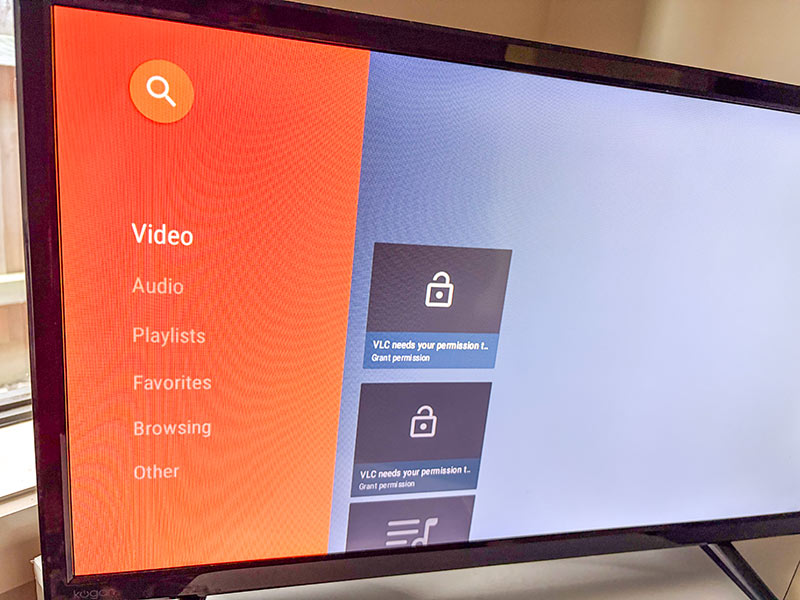
You will need to install a streaming app on any device you want to stream to. Fortunately, there is an app called VLC which supports a variety of operating systems, Apple and Android included, and works on just about any device. I’ve installed it on laptops, tablets, phones and even smart TVs, and it has worked perfectly. You will need to ensure your wi-fi router supports this function. Our Cowfish router supported this out of the box and included full step-by-step instructions to set it up.
Connecting a wi-fi security camera to your network is also a very handy thing to do. Not only can you keep an eye on your campsite through an internet connection, but you could even place one inside your caravan and keep an eye on sleeping kids or pets while you sit around the campfire. I have used Uniden wi-fi cameras in the past, and they have been easy to set-up and reliable, but almost any brand of wi-fi camera system should work.
Remote battery management is something that you don’t realise you need until you have it. It can be a little tricky to set-up, but if you do a lot of free-camping or you have a caravan in storage, it is worth the effort.
If you have a portable power station like a Bluetti, these come with built-in wi-fi and remote access capability, so all you need to do is connect it to your wi-fi network with an internet connection, and your Bluetti app on your phone will just find it and give you full remote access. It’s a bloody good system. Check out our recent review of the Bluetti Elite 100 V2 to see what I’m talking about.
For others, like my Simarine system, there’s a little extra work to do. The first thing you will need is a spare mobile phone (such as the one we described last month). On it, you install the apps you need for your caravan’s accessories. Then connect this phone to your wi-fi network and plug it into a USB outlet to keep it powered on. You will also need to install an app called TeamViewer on both the phone in your van and your personal phone.
This app allows you to remotely access and control the spare phone in your van via the internet by ‘mirroring’ its screen on your phone. Now you can access any apps on the phone, including those controlling your accessories. It’s a little clunky and may be slow depending on your internet connection, but it does work. I’ve even used TeamViewer to access my caravan’s systems through a Starlink connection.
If you’re not tech-savvy, don’t worry, as TeamViewer is very well supported and there are plenty of videos on YouTube that can walk you through the process. The bonus is TeamViewer is completely free to download and use.
Hopefully, we’ve inspired you to think about putting a wi-fi network into your caravan. Not only is it a bit of fun to set-up and use, it can really enhance your caravanning experience.